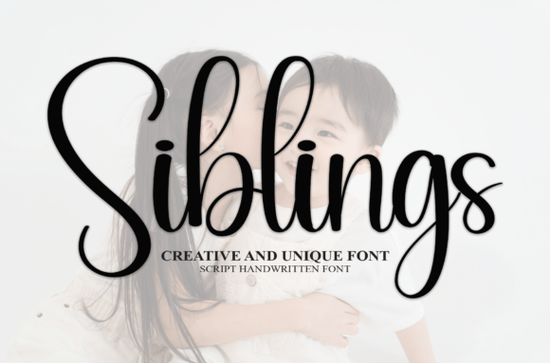
If you're looking for a warm, approachable handwritten font that feels personal without being overly casual, the Siblings Font is a thoughtful choice. It’s not fussy or overly decorative just clean, friendly, and well-spaced, with natural-looking letterforms that suggest care and sincerity. That makes it especially useful for wedding stationery, greeting cards, baby announcements, or small-batch product labels where authenticity matters more than polish.
When does Siblings Font work best?
Handwritten fonts can be tricky: some feel too stiff, others too messy or hard to read at smaller sizes. Siblings lands in a sweet spot legible even at 14pt, expressive enough for headlines, and subtle enough for body text in invitations or thank-you notes. Because it’s designed with consistent spacing and balanced weight, it holds up well in both digital mockups and printed formats like foil-stamped cards or letterpress invites.
It’s also versatile across use cases. A small business owner might use it for a “handwritten” tagline on a soap label; a crafter could layer it over watercolor backgrounds for printable wall art; and a print-on-demand seller might pair it with minimalist layouts for Instagram-friendly quote prints. Unlike bolder script fonts, Siblings doesn’t compete with imagery it complements it.
How does it compare to other popular script fonts?
Every script font has its own personality and knowing how they differ helps you choose the right one for the mood you want to set. For example, if you’re drawn to something with more rhythm and flow, the The Wedding Signature Font offers elegant swashes and a classic calligraphic feel. Or if you prefer a bouncy, modern energy, Juicy Come Font adds playful contrast with its uneven baseline and rounded terminals.
For social media graphics or short captions, Palm Bay Social Font gives a relaxed, sun-drenched vibe great for lifestyle brands or beach-themed designs. Meanwhile, Santa Catalina Font leans slightly more refined, with gentle curves and a polished finish ideal for boutique packaging or luxury wedding suites. And if you need something chunkier and more grounded, Chunky Font delivers presence without sacrificing readability.
What file formats and features does it include?
The Siblings Font comes with standard OpenType (.OTF) and TrueType (.TTF) files, so it works across most design software from Canva and Cricut Design Space to Adobe Illustrator and Affinity Designer. There are no alternate glyphs or ligatures, which keeps things simple for beginners but still gives reliable, consistent output. No extra installation steps, no hidden layers just type and go.
It supports basic Latin characters (A–Z, a–z, numerals, common punctuation), so it’s suitable for English-language projects out of the box. If you regularly work with multilingual clients or need extended language support, double-check compatibility before purchasing though for most U.S.-based crafters and small studios, it covers everyday needs.
Where do people actually use this font?
We’ve seen Siblings Font used in real-world projects like:
- Wedding RSVP cards where couples want warmth without formality
- Printable baby milestone cards shared on social media
- Small-run enamel pin packaging with hand-lettered brand names
- Digital planners with soft, inviting headers
- DIY birthday banners made with vinyl cutters
One thing users consistently mention: it scales well. Whether you’re typing a single word at 120pt for a banner or setting a paragraph at 16pt for a folded card, the spacing stays comfortable and the rhythm stays clear.
A quick note about licensing
Creative Fabrica’s standard license covers personal use and commercial use including physical products like mugs, t-shirts, and greeting cards as long as you’re not reselling the font file itself. That means you can confidently use Siblings Font for your Etsy shop, local craft fair booth, or client project without needing an upgrade.
For reference, you can view the official listing on Creative Fabrica: Siblings Font.
Before downloading or purchasing:
- Test it with your actual text paste in names, dates, or phrases you’ll really use
- Check how it renders in your preferred software (some apps handle OTF vs. TTF differently)
- Compare it side-by-side with fonts you already own sometimes the best fit is the one that feels least “designed”
- Look at real examples (not just previews) search Instagram or Pinterest for #SiblingsFont to see how others apply it
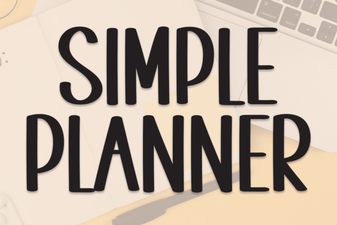 Simple Planner Fonts for Organized & Creative Projects
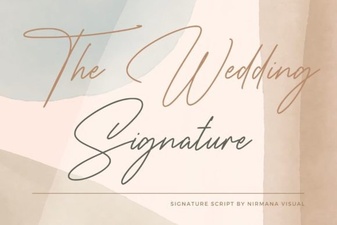 The Wedding Signature Font: Creative Design Ideas
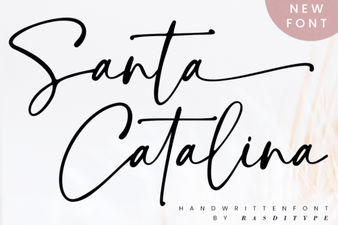 Craft Beautiful Projects with Santa Catalina Font
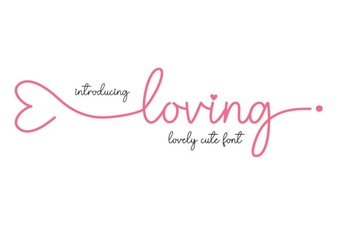 Loving Font: a Creative Guide for Your Designs
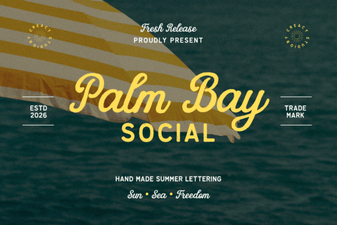 Palm Bay Font: Creative Projects & Tips
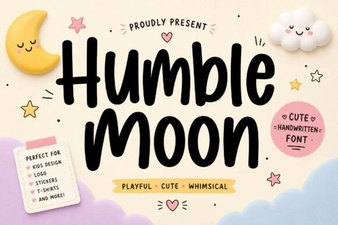 Humble Moon: a Font for Creative Storytelling