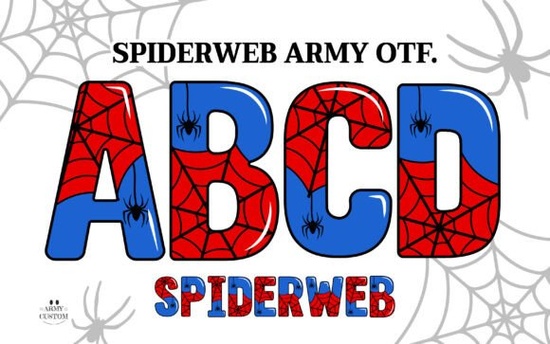
If you're looking for a font that adds texture, depth, and subtle gothic charm without overwhelming your layout, the Spiderweb Army Font is worth considering especially if you work with layered designs, seasonal crafts, or themed digital products. It’s not just another decorative typeface; it’s built with intentional detail: delicate web-like strokes, soft contrast, and a balanced rhythm that reads well at medium to large sizes. Crafters using Cricut machines will appreciate that the black version works reliably in Design Space, while designers who use Adobe apps can take full advantage of its color layers.
What makes this font different from other spider-themed fonts?
Most “spider” or “web” fonts lean heavily into Halloween kitsch think dripping blood, jagged edges, or cartoonish webs. Spiderweb Army Font avoids that trap. Its name hints at structure (army) and delicacy (spiderweb), and the design delivers both: clean outlines with fine, interconnected linework that suggests tension and precision not chaos. It’s more suited to vintage botanical labels, indie book covers, or moody apparel graphics than party invitations. You’ll notice how the letterforms subtly echo cobweb geometry without becoming literal illustrations.
Which software supports the color version and which doesn’t?
The color version is an OpenType SVG font (.OTF), so compatibility depends on your editing environment:
- Works well in: Adobe Photoshop CC 2017+, Illustrator CC 2018+, Affinity Photo 2 (with SVG font support enabled)
- Does not work in: Cricut Design Space, Silhouette Studio (basic edition), Canva, or older versions of CorelDRAW
- Good workaround: The included PNG files let you drop ready-made letters into any app even PowerPoint or Google Slides without needing font installation.
If you’re used to dragging fonts into Design Space and cutting them straight away, stick with the black outline version. But if you’re designing merch mockups or social media banners in Photoshop, the color variant gives you richer visual options like layered shadows or tonal gradients baked right into each glyph.
Who uses this font and what kinds of projects fit best?
This isn’t a font for body text or long paragraphs. It shines where impact matters more than readability at small sizes. Think:
- Tote bags, t-shirts, and enamel pins with short, evocative phrases (“Midnight Shift”, “Webbed Mind”, “Quiet Observer”)
- Digital stickers and Procreate brush sets for journaling or mood board creators
- Print-on-demand product mockups especially for niche audiences like gothic romance readers or fantasy RPG fans
- Small-batch greeting cards or art prints where texture and theme carry equal weight to message
You’ll find it fits naturally alongside other Spiderweb Army Font resources, but also pairs well with simpler sans-serifs or serif companions for contrast. For example, pair it with a crisp slab-serif for headlines and a neutral geometric font for captions it keeps hierarchy clear without competing.
How do the bonus PNGs help beyond software limits?
The included high-res PNG files (with transparent backgrounds) aren’t just backups they’re practical assets. Each letter is pre-rendered at multiple sizes (often 300–600 px wide), so you can drag them directly into Canva templates, Etsy listing images, or Instagram Stories without worrying about font licensing or rendering glitches. They’re especially helpful if you’re building a consistent brand look across platforms where you can’t install custom fonts like Shopify store banners or email headers.
If you’ve browsed Creative Fabrica’s collection of colorful fonts, you’ll recognize how Spiderweb Army Font stands out: it balances thematic detail with versatility. It doesn’t shout it lingers. That makes it useful for creatives who want personality without sacrificing polish.
Before you download: A quick checklist
- ✅ Confirm your main design software supports OpenType SVG fonts (if planning to use the color version)
- ✅ Check whether your cutting machine workflow relies on outline-only fonts (if using Cricut or Silhouette)
- ✅ Review the included PNG sizes do they match your typical use case (e.g., Instagram posts vs. large-format prints)?
- ✅ Consider pairing it with a complementary neutral font for balance avoid stacking too many decorative fonts together
- ✅ Save a test file with both the OTF and PNG versions side-by-side to compare how each behaves in your usual workflow
Try setting a short phrase in both versions first “October Nights” or “Still Waters” and see which one feels more aligned with your current project’s tone and technical needs.
Download Now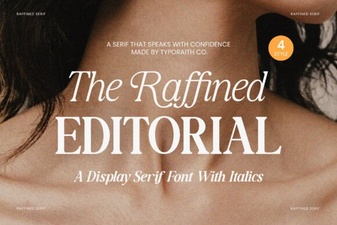 Choosing and Using Refined Typography
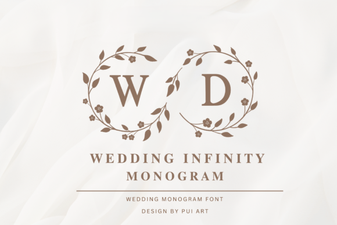 Craft Your Wedding Infinity Monogram Signature
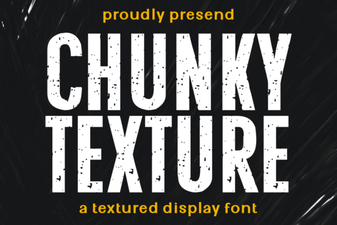 Design Ideas Using Chunky Font Textures
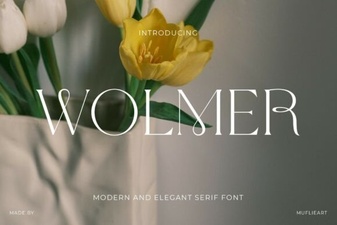 Discovering Wolmer Font for Modern Typography Projects
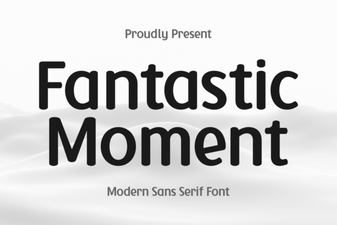 Unlock Creativity with Fantastic Moment Fonts
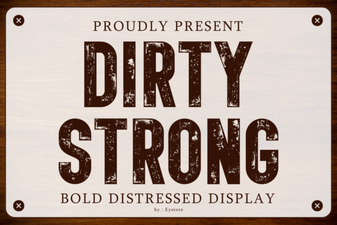 Bold & Raw: Typefaces with Strong Character